


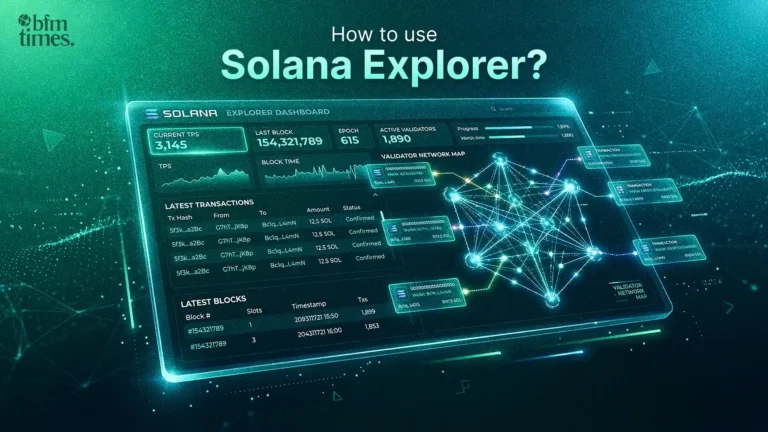
The Solana blockchain processes thousands of transactions every second. We see that keeping track of all this activity can feel overwhelming & confusing for many users. It is where Solana Explorer becomes your best tool for understanding activity on the network.
- Understanding the Solana Blockchain Explorer
- Top Solana Explorer Tools Available Today
- How to Use the Official Solana Explorer Step by Step
- Key Features of the Solana Explorer You Should Know
- Switching Between Mainnet, Devnet, & Testnet
- Tips to Use Solana Explorer More Effectively
- Common Use Cases for Solana Explorer Users
- Conclusion
This Solana Explorer is a web-based tool. These tools let users search, view, & analyze all activity on the Solana blockchain. They help users track transactions, check wallet balances, & monitor network health in real time. Similarly, other users can access the tool easily, & no technical skills are needed.
The users include traders, developers & curious users & they all benefit from the Solana Explorer because the tool gives full transparency. We can see exactly what happens on the chain at any moment through this explorer interface.
Related: Top Blockchain Games to Play in 2026: Best Web3 Titles for Real Gameplay
Understanding the Solana Blockchain Explorer
The readers should first understand what makes a Solana Explorer unique before going deeper into usage.
We see that Solana moves at incredible speed & the network creates new blocks every 400 milliseconds. It means the explorer keeps syncing with the network almost continuously. These updates allow data to refresh in near real time across the explorer dashboard.
The explorer connects directly to Solana nodes & it pulls live data from the blockchain network. We see every transaction token transfer & staking action appear within seconds after confirmation on the network.
Top Solana Explorer Tools Available Today
The explorers are not identical & each tool offers different benefits for users.
The table below shows the most popular Solana Explorer tools available right now & each option provides a slightly different experience for blockchain monitoring.
| Explorer | Best For | Key Strength |
| explorer.solana.com | General use | Official maintained by Solana Foundation |
| Solscan | Detailed analytics | Clean interface & DeFi & NFT tracking |
| Solana Beach | Validator data | Network health & stake monitoring |
| SolanaFM | Developers | Transaction history & deeper analytics |
| Orb by Helius | Speed & readability | AI-powered transaction explanations |
The tools listed above serve different purposes & they help users understand & network activity in different ways. We see that most beginners should start with the official Solana Explorer at explorer.solana.com because it is simple, clear & reliable.
How to Use the Official Solana Explorer Step by Step
Getting Started on explorer.solana.com
The users open a browser & visit explorer.solana.com to start using the tool. We see that the homepage loads quickly & the page shows a search bar in the top area.
It displays live network data across the main dashboard. These sections include recent blocks, latest transactions & current validator activity. They also show the general health of the Solana network in one view.
Searching for a Transaction
The Solana network gives every transaction a unique ID & this ID is called a transaction signature. We see that this signature is a long string made from letters & numbers.
The users can follow these steps to find transaction details.
- The users copy the transaction signature from the wallet application.
- We paste the signature into the search bar on the Solana Explorer page.
- It shows the full transaction details after pressing Enter.
The result screen shows the sender address, receiver address, transaction fee, timestamp & transaction status, such as success or failure.
Checking a Wallet Address
The users may want to check a wallet balance or activity history.
We follow these simple steps to view wallet information.
- The users copy the wallet address they want to check.
- We paste the wallet address into the Solana Explorer search bar.
- It loads wallet details after pressing Enter.
The result page shows the total SOL balance token holdings & recent transaction history connected to that wallet address.
Suggested: Phantom Wallet Review 2026
Key Features of the Solana Explorer You Should Know
Transaction Tracking
The Solana Explorer shows complete transaction details on the network. We can verify if a payment successfully moved from one wallet to another. It also shows why a transaction failed in many cases. This failure information often includes an error message that explains the problem clearly.
Token & NFT Lookup
The users can search for any SPL token or NFT that exists on the Solana network. We see that the explorer shows the token supply holder count & transfer history. It helps users confirm details about a new token before they decide to invest.
Validator Information
The Solana Explorer also displays active validators running on the network. We can check validator performance, staking activity & voting history through the explorer pages. It helps stakers choose reliable validators for better reward opportunities.
Network Statistics
The homepage shows real-time network statistics. These statistics include transactions per second, block time & slot height. They give users a quick picture of the current Solana network performance.
Switching Between Mainnet, Devnet, & Testnet
The Solana Explorer supports three cluster types used across the ecosystem.
- Mainnet Beta represents real SOL tokens & real blockchain transactions.
- Devnet is a testing network used mainly by developers building applications.
- Testnet runs performance tests & network experiments.
The users should confirm that the explorer shows Mainnet when they check real balances. We see that switching to Devnet by mistake will show test data only. It allows users to change the cluster using the settings menu located at the top right area of the explorer page.
Tips to Use Solana Explorer More Effectively
The users can improve their experience by using a few helpful practices while working with the explorer.
- The users should double-check the wallet address before sharing it.
- We can use Solscan together with the official Solana Explorer to read clearer error messages for failed transactions.
- It helps to bookmark a frequently used wallet address for faster access.
- This step requires checking the cluster setting before reading any wallet balance data.
- These steps include using the transaction signature from the wallet for quick lookup.
Common Use Cases for Solana Explorer Users
People use the Solana Explorer for many tasks every day in the crypto ecosystem.
- The users confirm that a crypto payment arrived in a wallet.
- We verify that a token transfer completed successfully.
- It helps check staking rewards connected to a validator.
- This process includes researching an unknown wallet address.
- These activities include monitoring network congestion during busy network periods.
Also Read: Solana News: XRP Tundra Integrates Solana Network for Dual-Chain DeFi
Conclusion
The Solana Explorer remains one of the most powerful & useful tools inside the Solana ecosystem. We see that the tool gives complete visibility into the blockchain without the need for coding knowledge. It allows users to track transfers, review validator activity, & underst& network performance.
The users can start by visiting explorer.solana.com today & they can paste a wallet address or transaction ID into the search bar. We see that the explorer shows detailed chain activity within seconds.
It helps users stay informed, secure & aware of all Solana activity. This knowledge gives stronger control over every interaction that happens on the Solana blockchain network.
Disclaimer: BFM Times acts as a source of information for knowledge purposes and does not claim to be a financial advisor. Kindly consult your financial advisor before investing.
What is Solana Explorer used for?
Solana Explorer is a blockchain tool that lets users view transactions, wallet addresses, blocks, and on-chain activity on the Solana network.
How do beginners check transactions on Solana Explorer?
Beginners can paste a wallet address or transaction ID into the search bar to view detailed transaction data on the Solana blockchain.
Why is Solana Explorer important for crypto users?
It helps users verify transactions, track wallet activity, and maintain transparency on the Solana blockchain.